Backups are only as good as the confidence that they actually work. Restic Explorer 1.0 is now available — a focused, self-hosted web dashboard that provides exactly that confidence for all restic repositories in one place.
The Problem
Restic is an outstanding backup tool. Fast, encrypted, deduplicated — it has become the go-to choice for backing up servers, NAS devices, and cloud workloads. But restic is a CLI tool by design. When running multiple repositories across different backends — S3 buckets, Azure Blob, SFTP servers — keeping track of “is everything still running?” becomes a chore. It often means writing shell scripts, parsing JSON output, wiring up cron jobs, and hoping someone notices when something breaks.
Existing monitoring solutions are excellent pieces of software, but they tend to come with far more complexity than many use cases require: agent-based architectures, extensive plugin systems, or dashboards designed for hundreds of repositories across large teams. For operators who simply need a single pane of glass that answers are the backups running, are they healthy, and do they meet retention requirements? — a lighter approach is needed.
The Solution
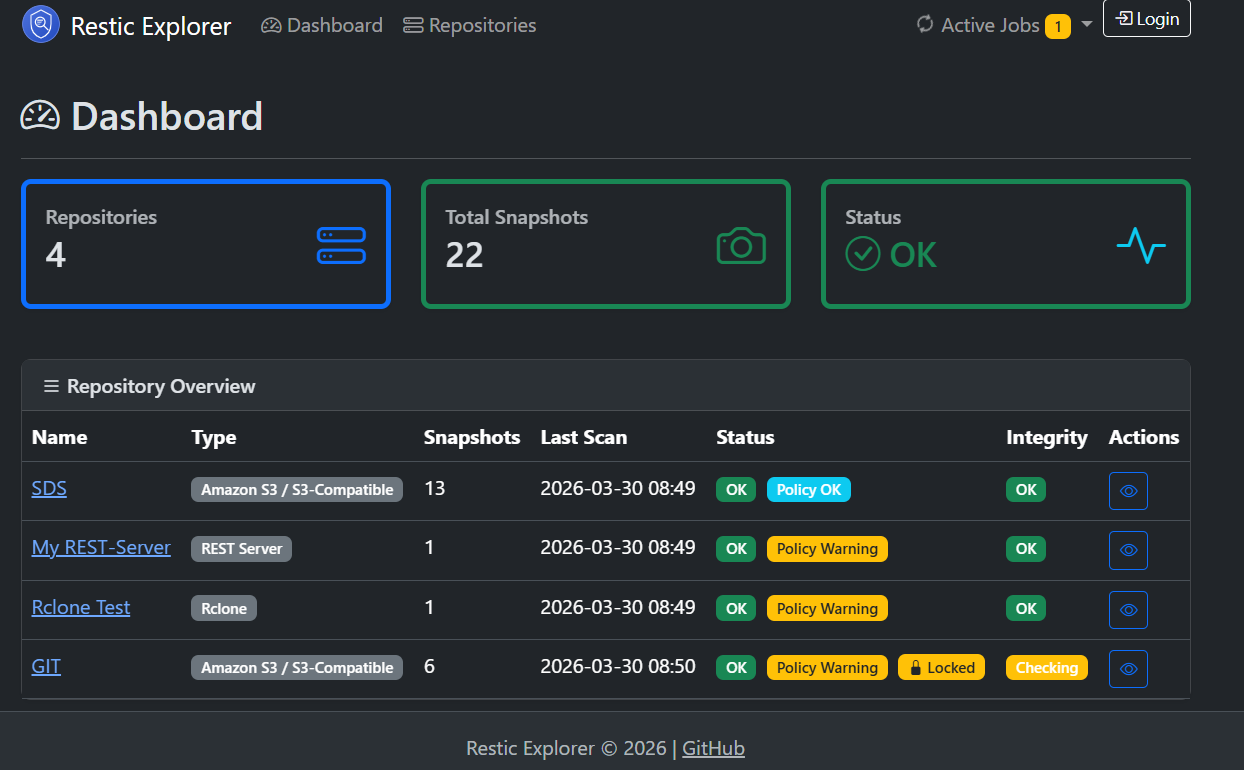
Restic Explorer is that single pane of glass. It connects directly to restic repositories — wherever they live — and provides:
- Multi-Repository Dashboard — status of all repos at a glance with color-coded badges (green/red/amber)
- Automated Scanning — scheduled
restic snapshotscalls cache metadata for fast browsing without CLI round-trips - Integrity Checks — scheduled
restic check --read-dataruns with configurable intervals per repository - Retention Policy Monitoring — daily/weekly/monthly/yearly rules with soft warnings when snapshots fall short
- Health Endpoint —
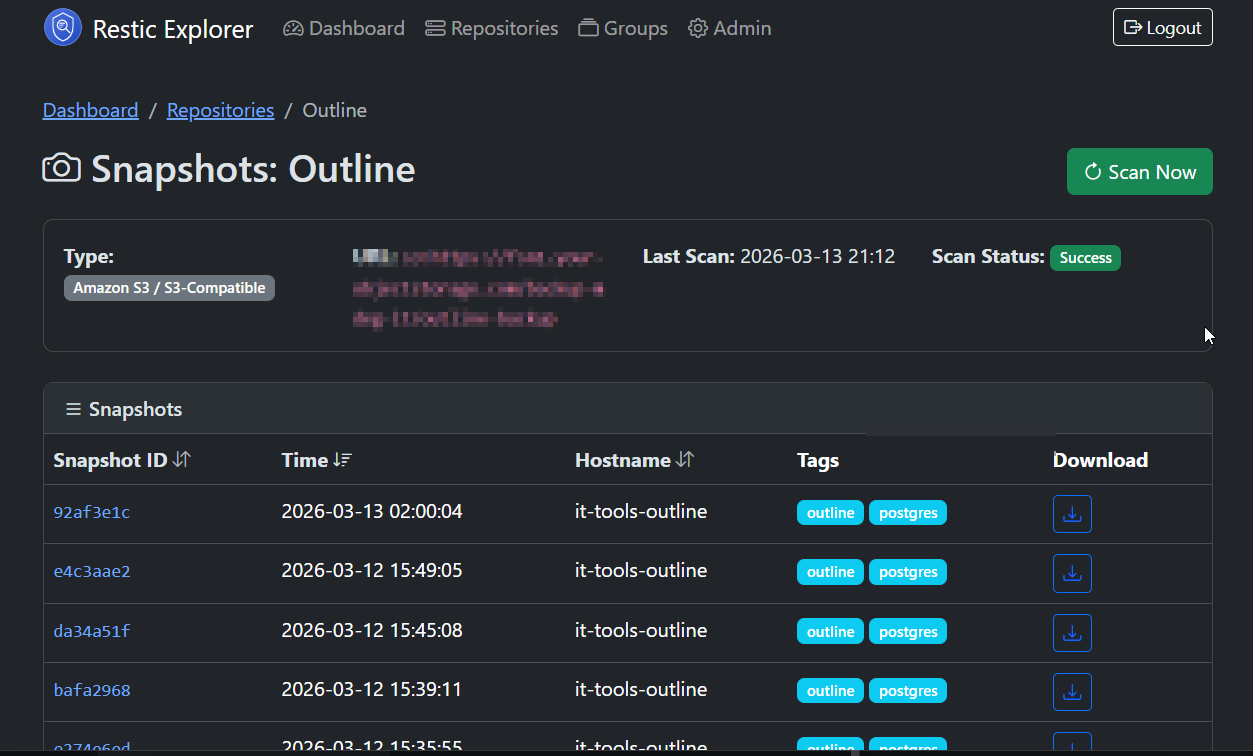
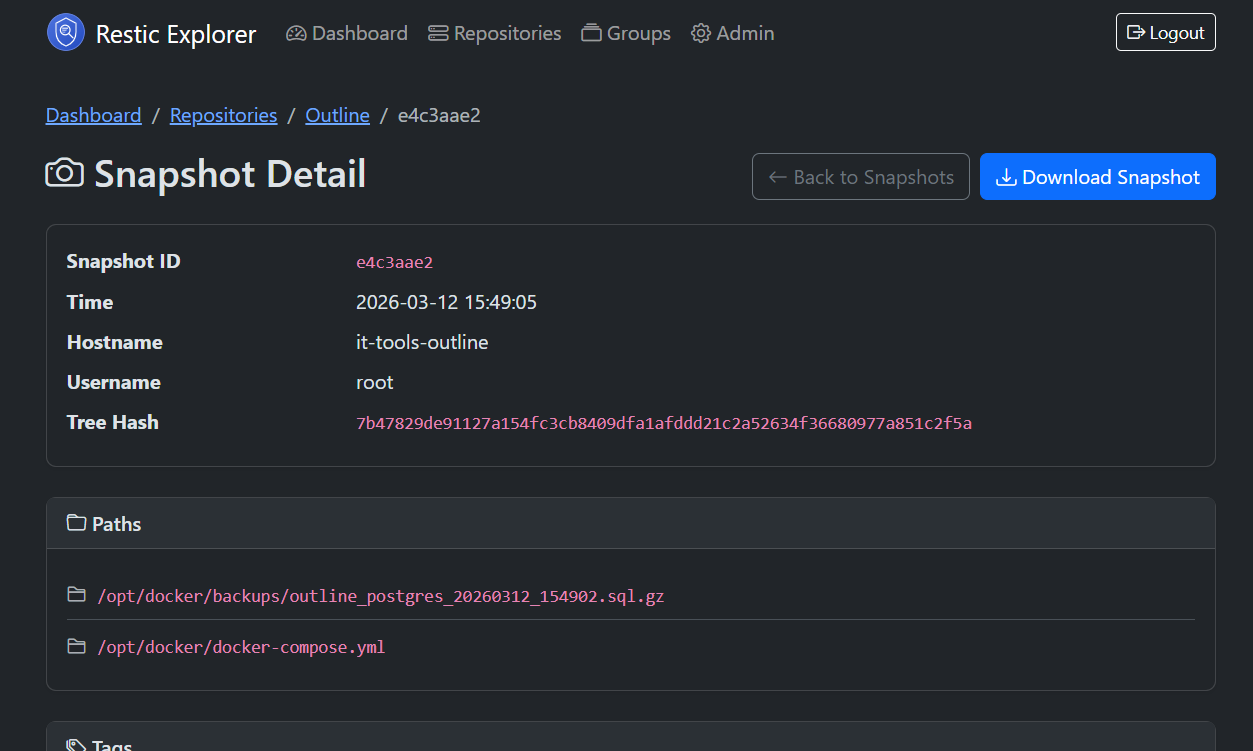
/actuator/healthJSON endpoint reporting per-repo status, ready for Uptime Kuma, Prometheus, or any HTTP health checker - Snapshot Browser — paginated, sortable snapshot list with a dedicated detail page showing paths, tags, hostname, and size
- Lock Detection — automatic stale lock detection with one-click unlock
- Encrypted Credentials — AES-256-GCM encryption at rest for repository passwords and backend keys
Five Backends, One UI
| Backend | What it covers |
|---|---|
| S3 / S3-Compatible | AWS S3, MinIO, Wasabi, Backblaze B2 (S3 API) |
| Azure Blob Storage | Native Azure integration |
| SFTP | Any SSH-accessible server, key-based auth |
| REST Server | Restic’s own REST backend with optional HTTP auth |
| Rclone | Google Drive, Dropbox, OneDrive, B2, and 40+ more via rclone |
Getting Started in 60 Seconds
The fastest way to get running is Docker Compose:
services:
  app:
    image: tmseidel/restic-explorer:latest
    ports:
      - "8080:8080"
    environment:
      SPRING_PROFILES_ACTIVE: docker
      DB_HOST: db
      DB_PORT: 5432
      DB_NAME: resticexplorer
      DB_USER: resticexplorer
      DB_PASSWORD: resticexplorer
    depends_on:
      db:
        condition: service_healthy
    restart: unless-stopped

  db:
    image: postgres:16-alpine
    environment:
      POSTGRES_DB: resticexplorer
      POSTGRES_USER: resticexplorer
      POSTGRES_PASSWORD: resticexplorer
    volumes:
      - db-data:/var/lib/postgresql/data
    healthcheck:
      test: ["CMD-SHELL", "pg_isready -U resticexplorer"]
      interval: 10s
      timeout: 5s
      retries: 5
    restart: unless-stopped

volumes:
  db-data:
docker compose up -d
Open http://localhost:8080, create the admin account, and start adding repositories. That’s it.
The image ships with restic, rclone, and openssh-client pre-installed — no additional setup required for any backend type.
Why Restic is a Great Fit for Cloud & Infrastructure-as-Code
For teams managing cloud infrastructure through Terraform, Ansible, Pulumi, or similar tools, restic fits naturally into the workflow:
Stateless by Design
Restic repositories are self-contained. There is no central server, no daemon, no database to maintain. A repository is just a structured set of encrypted blobs in any storage backend. This makes restic trivially reproducible — IaC can provision the storage bucket and the backup job in the same run.
Backend Agnostic
Moving from AWS to Azure? Migrating from on-prem to cloud? Restic’s backend abstraction means the backup strategy isn’t tied to a vendor. A Terraform module provisions an S3 bucket today; tomorrow it provisions Azure Blob Storage. The restic commands stay the same.
Encryption Without Infrastructure
Restic encrypts everything client-side. There is no need for a KMS, a Vault instance, or an HSM for backup encryption. One password, stored in the secrets manager of choice, and data is encrypted at rest regardless of the storage backend’s capabilities.
Deduplication Saves Cloud Storage Costs
Restic’s content-defined chunking and deduplication means incremental backups are genuinely incremental — even across different source machines backing up to the same repository. In cloud environments where storage is metered, this translates directly to lower costs.
Scriptable and Composable
Restic is a CLI tool that outputs JSON. It composes perfectly with cron, systemd timers, CI/CD pipelines, and container sidecars. No agents to install, no ports to open, no protocols to configure — just a binary and a repository URL.
Restic Explorer adds the monitoring layer on top: existing restic workflows remain untouched, and Restic Explorer watches the repositories and surfaces issues when they need attention.
What’s in 1.0
This release marks the point where the feature set is stable, tested, and production-ready:
- Five backend types — S3, Azure, SFTP, REST, Rclone
- Repository groups — organize repos by team, environment, or purpose
- Configurable scan and check intervals per repository
- Retention policy monitoring with violation warnings
- Error log with date filtering and auto-cleanup
- Dark mode with automatic theme detection
- Health & info endpoints for external monitoring integration
- Admin-only download of snapshots as
.tararchives - Encrypted credential storage (AES-256-GCM)
- Docker image running as non-root user with built-in healthcheck
| Snapshots | Snapshot Detail |
|---|---|
 |
 |
Get It
- Docker Hub:
tmseidel/restic-explorer:latest - GitHub: tmseidel/restic-explorer
- Documentation: User Guide · Configuration · Architecture
Licensed under MIT. Contributions, issues, and feedback welcome.
Restic Explorer is built with Spring Boot 4, Thymeleaf, and Bootstrap 5. It runs as a single container alongside PostgreSQL and requires no additional infrastructure beyond what is already in place.